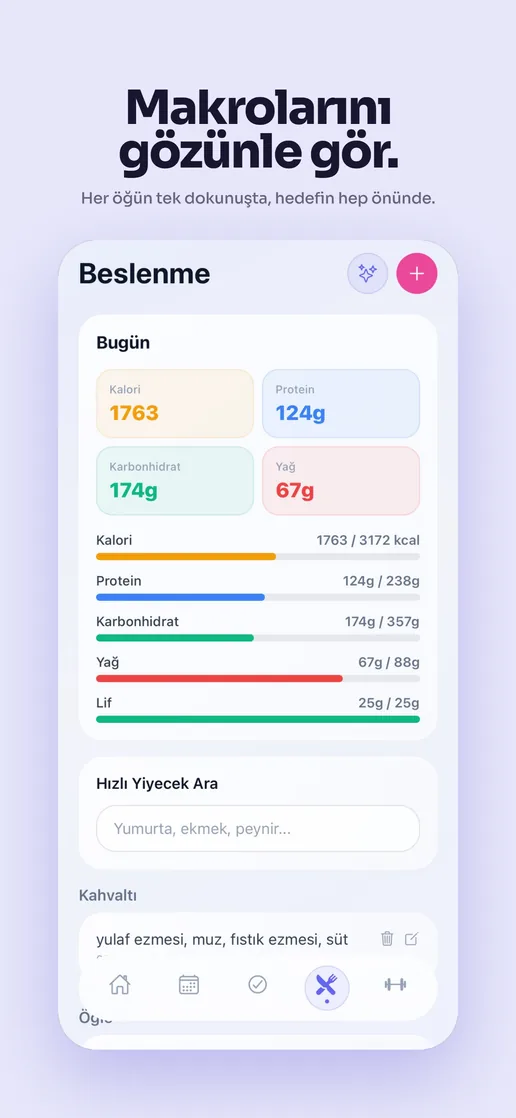
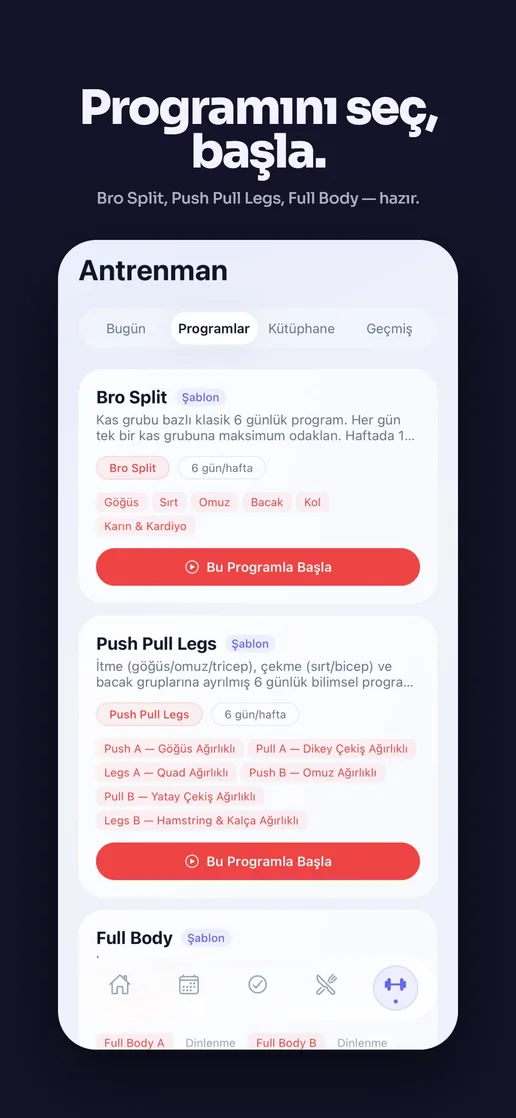
02 · AI Productivity · Mobile + Web

LifeOS

A personal operating system: tasks, time blocking, nutrition and workouts in one place, synced live between a web app and a React Native mobile app, with AI daily planning that turns a backlog into a schedule.

Role Founder & Engineer Year 2025 Stack Next.js · React Native · Expo · Supabase · Zustand · RevenueCat · iyzico

A task app, a habit tracker and a calendar that don't talk to each other.

My own routine was split across four apps: a task manager, a separate habit tracker for workouts and nutrition, a calendar for time blocking, and notes for planning the next day. None of them shared state, so "what should I actually do today" meant opening all four and doing the synthesis myself, every morning.

LifeOS started as a tool to fix my own day. It's now a cross-platform product: one data model for tasks, habits and time, with a planner that does the morning synthesis automatically.

One data model, two apps, seven AI features wired into the daily loop.

I built and ship both clients: the Next.js web app and the React Native/Expo mobile app, on a shared Supabase backend with Zustand for client state, plus subscriptions via RevenueCat (mobile) and iyzico (web, for the Turkish market).

  • Shared sync layer. Tasks, habits and time blocks created on one platform appear on the other in real time.
  • AI daily planning. Turns an unordered backlog into a time-blocked schedule, respecting priority and a working-hours window.
  • Seven AI-assisted features. Spanning planning, prioritization, nutrition logging and progress summaries, wired into the workflow rather than a separate "AI tab".
  • Monetization, two ways. RevenueCat for mobile subscriptions, iyzico for web/local payment methods.

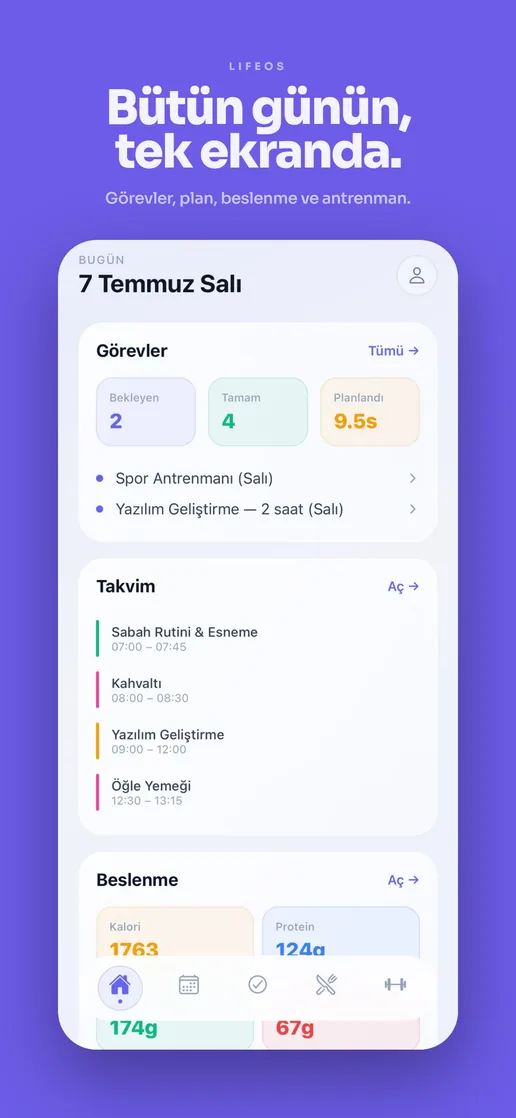
The product tour: one operating screen for the day.

The dashboard is the command center. It does not just list tasks; it places the day on a timeline, ranks what matters, and keeps health signals visible so planning and execution stay in the same loop.

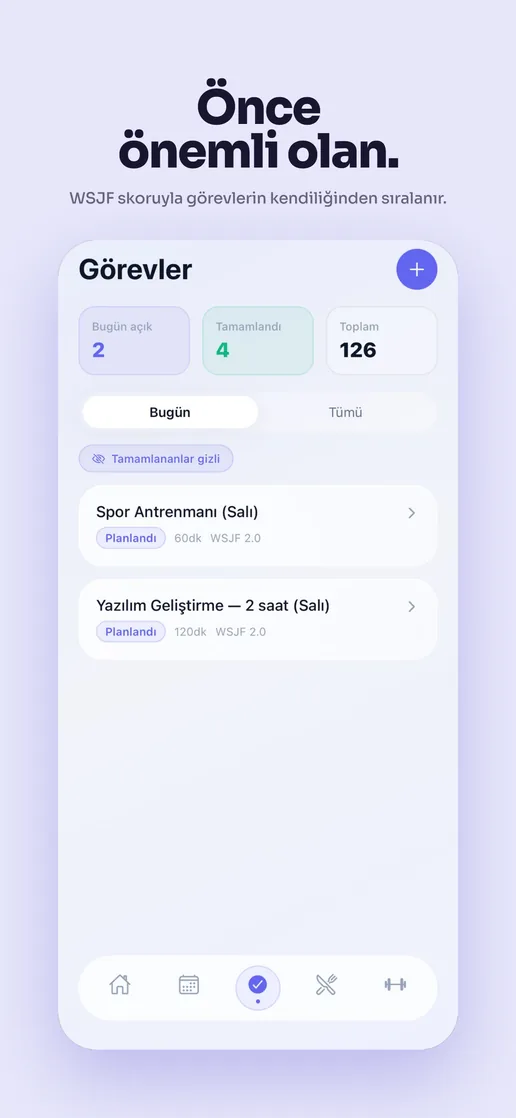
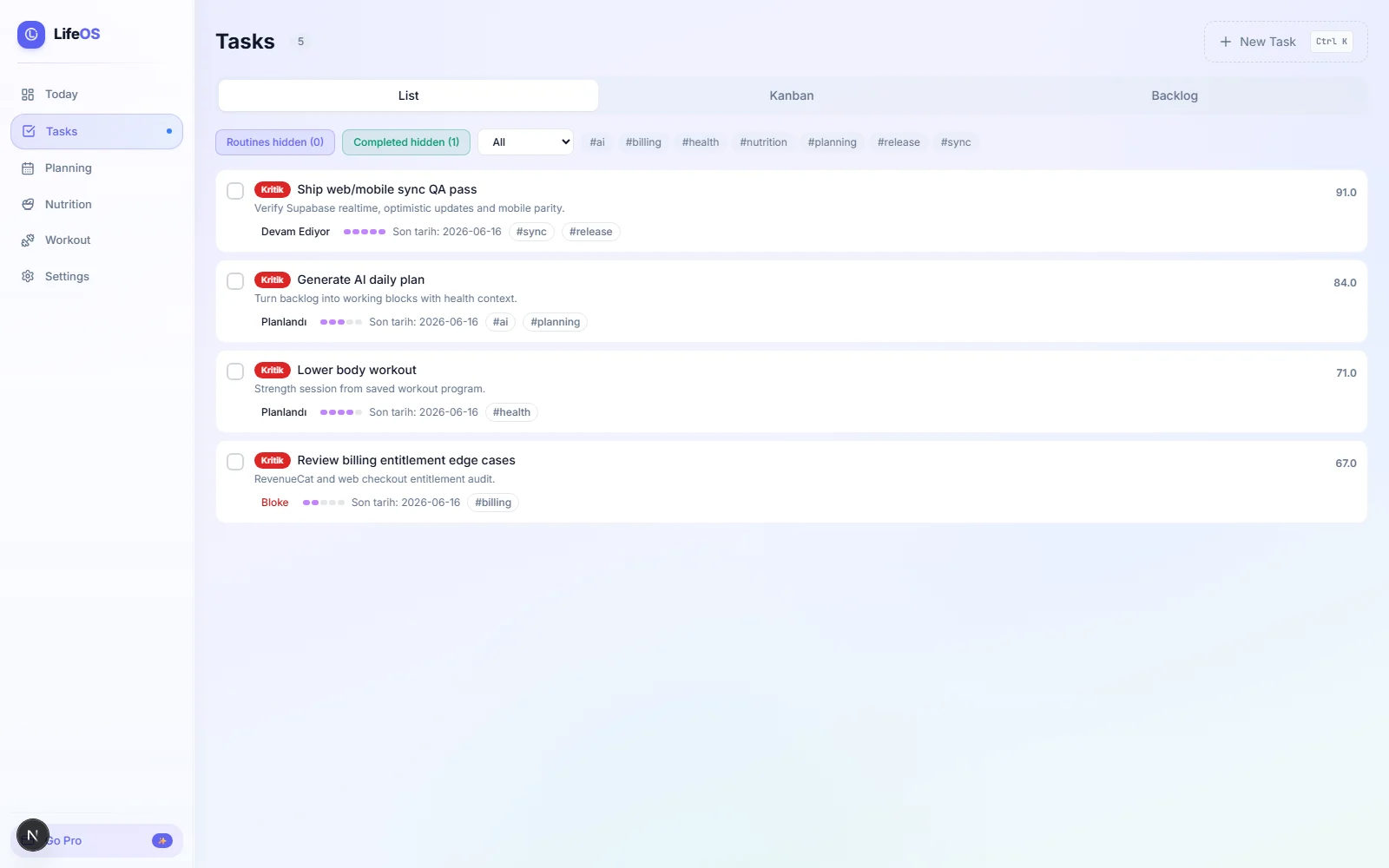
LifeOS task screen with priority-ranked tasks, status, tags and backlog filters.

Tasks

Prioritized work is the first-class surface.

The task view ranks work by urgency, context and state, with filters for routines, completed tasks, tags and backlog movement.

  • Scores make priority visible instead of hidden in a sort order.
  • Status and tags keep work grouped by real context.
  • Backlog and completed filters keep the active day clean.
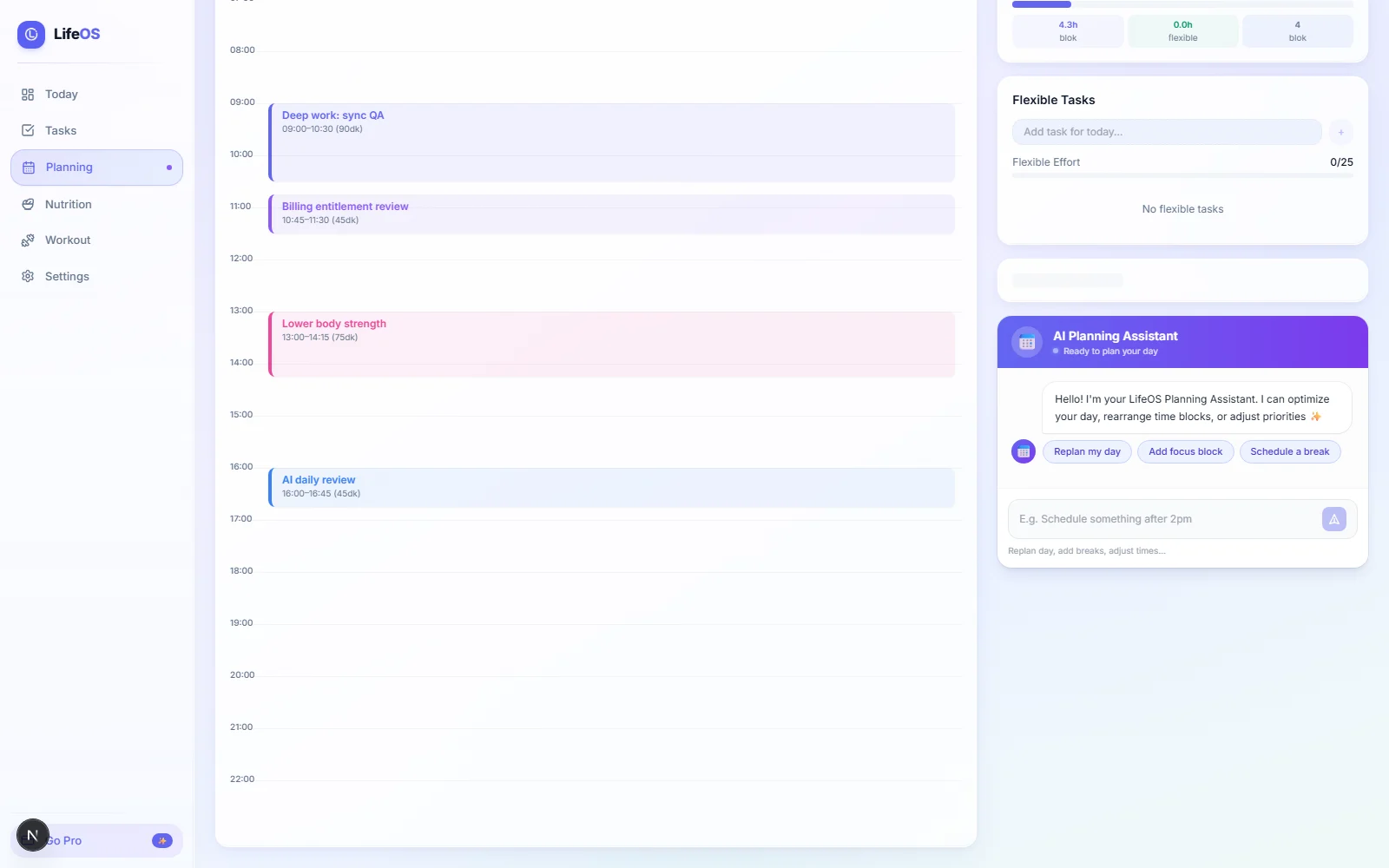
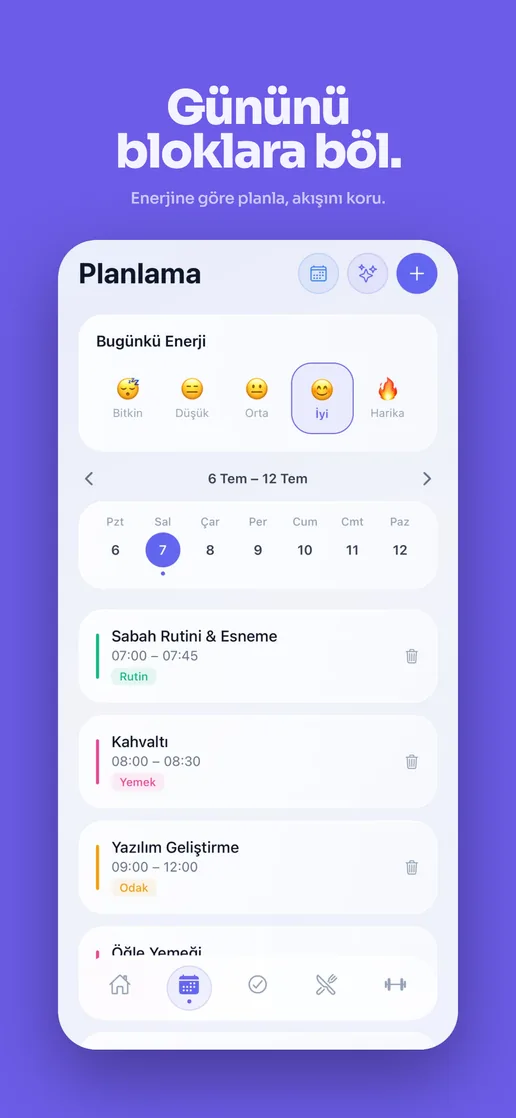
LifeOS planning screen with a daily timeline, scheduled work blocks, flexible tasks and AI planning assistant.

AI planning

Generate a realistic day, not a generic todo list.

The planner reads open work, effort, energy and available time, then turns the backlog into an ordered schedule the user can actually follow.

  • Inputs: open tasks, estimated duration, priority and energy.
  • Output: ordered blocks inside the working window.
  • Feedback: completion data improves future planning.
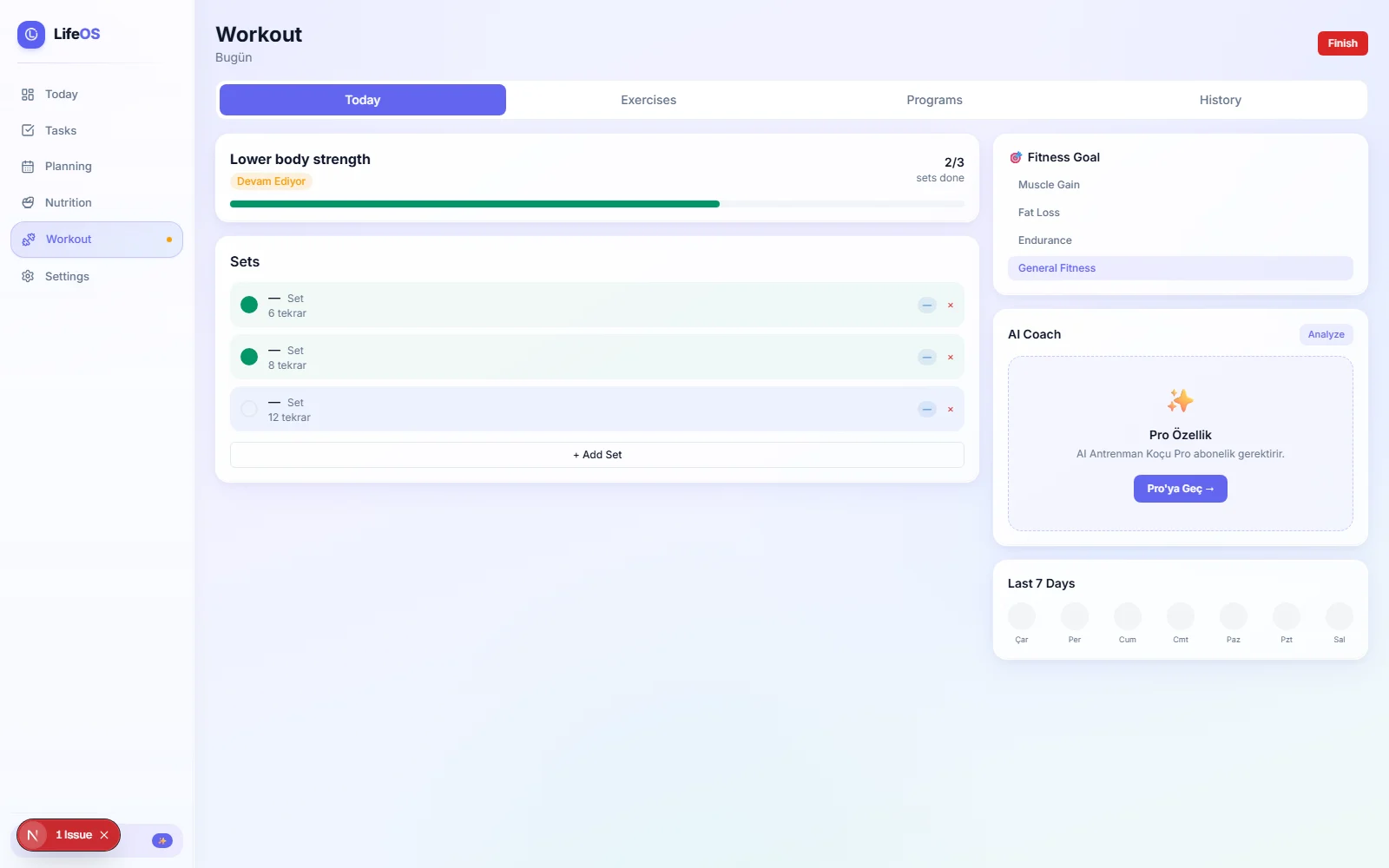
LifeOS workout screen showing sets, progress, goals, AI coach and recent activity.

Health loop

Execution includes energy, training and recovery context.

Workout state lives beside planning data, so the daily operating system can reason about effort, consistency and what actually happened.

  • Set progress and training goal stay visible.
  • Recent activity gives the planner recovery context.
  • AI coach hooks into the same user state.

A single source of truth, read by two very different clients.

The hard part of cross-platform isn't the UI, it's making sure a task checked off on the phone is checked off on the web a second later, without conflicting writes.

01

Shared schema

Tasks, habits, time blocks and nutrition entries live in Supabase under one schema, consumed by both the Next.js web app and the Expo mobile app.

02

Real-time sync

Supabase realtime subscriptions push changes to both clients, with Zustand reconciling local state so the UI updates without a manual refresh.

03

AI daily planner

Reads the day's open tasks and habits, scores them by priority and estimated duration, and lays them into a time-blocked schedule for the working day.

04

Monetization split

RevenueCat handles mobile subscription entitlements; iyzico handles web checkout for Turkish payment methods, both gating the same feature set.

The daily planner, running in your browser.

A small re-implementation of LifeOS's planner: it sorts your tasks by priority, lays them into a 09:00–18:00 working day, and drops in a 15-minute break after roughly 90 minutes of work. Add a task and watch the schedule rebuild.

Today's plan 09:00–18:00 working window

What changed.

2
platforms (web + mobile) on one synced data model
10K+
tasks managed across users, prioritized and planned
7
AI-assisted features in the daily workflow
2
payment providers, one for mobile and one for web/Turkey

What I'd build next.

  • Adaptive planning. Learn from which planned blocks actually get completed and adjust future estimates per user.
  • Calendar import. Treat existing calendar events as fixed blocks the planner schedules around.
  • Habit-aware scheduling. Place workouts and meals at times the user historically keeps, not just whenever there's a gap.

More from the build.